
Using the System
Asking Questions#
These nodes work in any Blueprint, under Affiliation System:
| Node | What it answers |
|---|---|
| Get Affiliation Attitude Towards Actor | How does actor A see actor B? |
| Get Affiliation Group Data From Actor | Which group is this actor in? |
| Get Actors By Affiliation Attitude | Which of these actors are Hostile (or Friendly, or Neutral) to me? |
| Get Affiliation Query Matching Actors | Which of these actors have these tags? |
The filter nodes are handy after an overlap, a trace or an AI Perception update. Actors without a group are skipped.
Changing Groups#
Call Set Current Affiliation Group on the actor's component, or Set Current Affiliation Group On Possessed Pawn on a controller's manager.
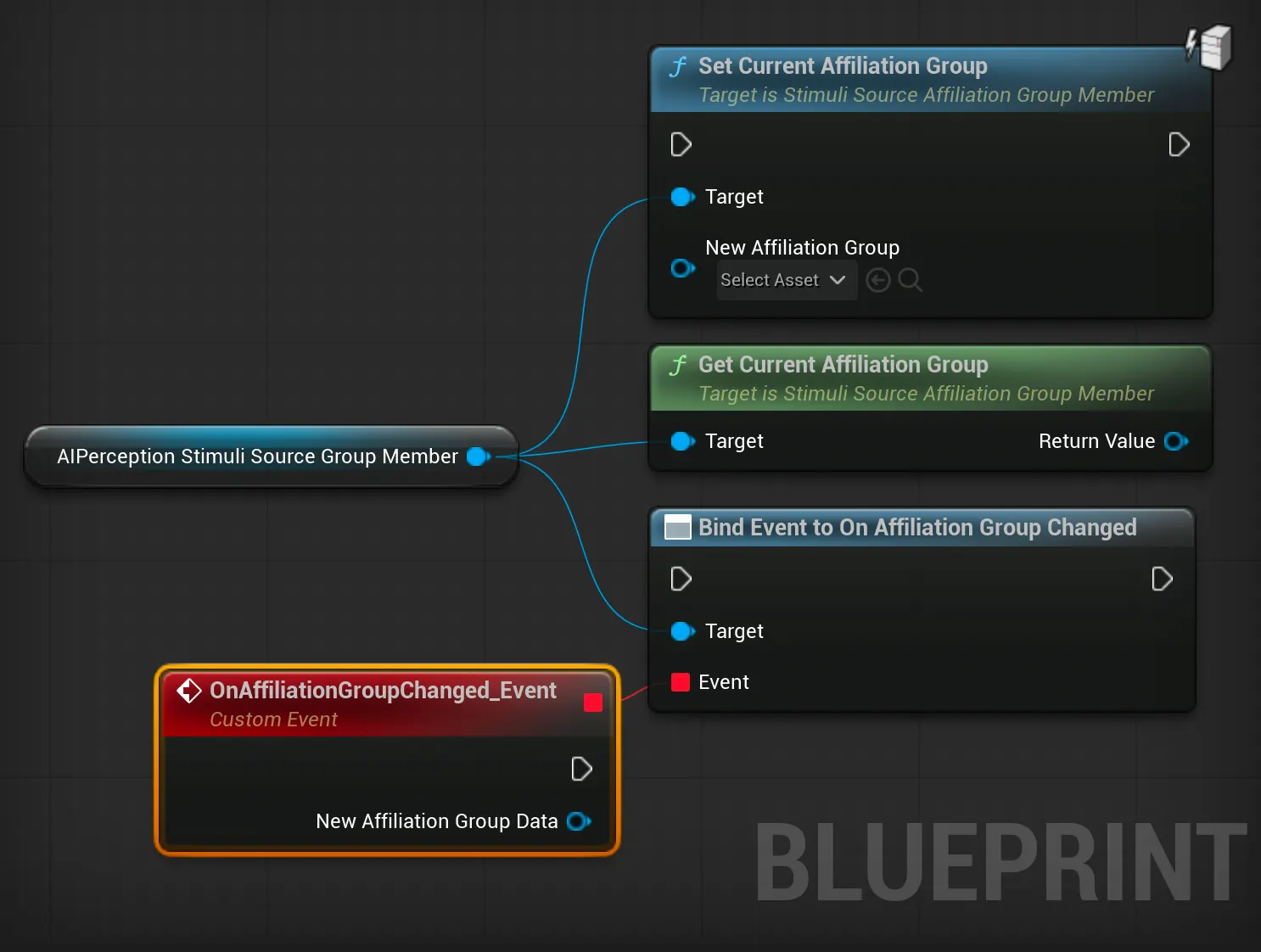
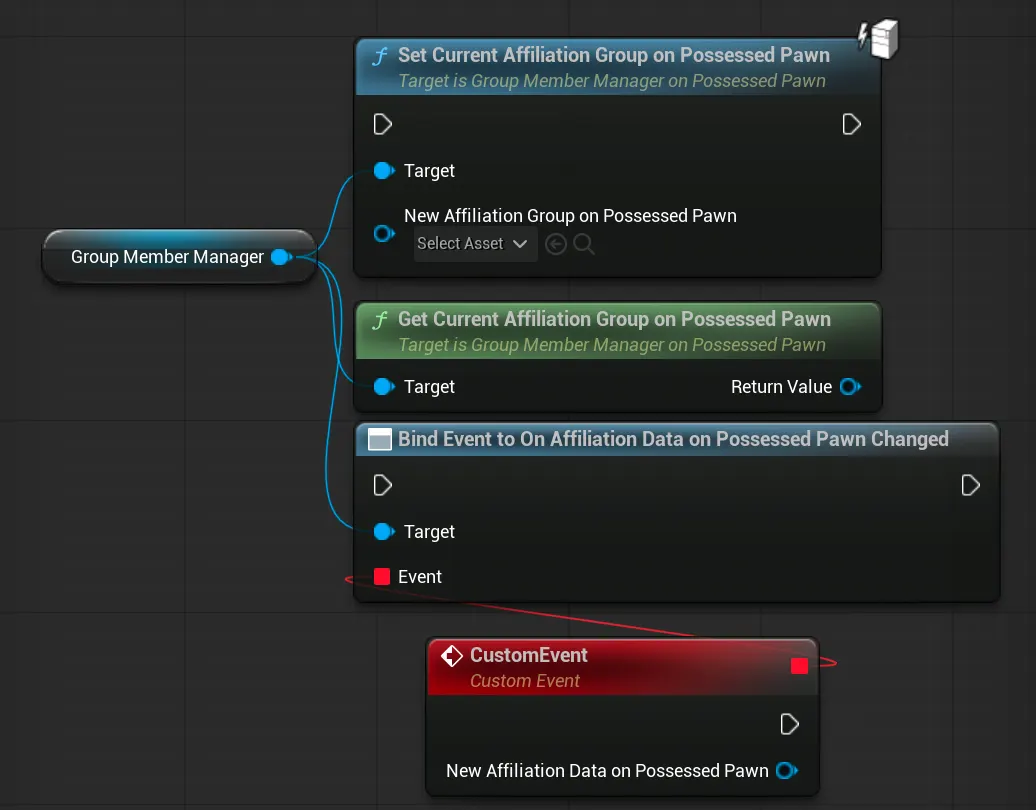
To react to a change, bind On Affiliation Group Changed (component) or On Affiliation Data On Possessed Pawn Changed (manager). They fire on the server and on every client, so they're the right place to update team colors or nameplates.
Multiplayer Teams#
The plugin works as a team system out of the box. A Red vs Blue setup:
- Create two groups, AG_Team_Red and AG_Team_Blue, each Friendly to itself and Hostile to the other (see Setup).
- Add the Group Member Manager to your Player Controller, and the Stimuli Source Affiliation Group Member component to your character.
- Pick a team when a player joins. In your Game Mode (it only runs on the server), on Event OnPostLogin, get the new player's Group Member Manager and call Set Current Affiliation Group On Possessed Pawn with Red or Blue.
- Stop friendly fire. Before applying damage, call Get Affiliation Attitude Towards Actor from the attacker to the target, and only apply it when the answer is Hostile.
- Show teams. On each client, bind On Affiliation Group Changed on the character's component and color the nameplate or outline.
.....
For a free-for-all, put every player in one group with the By Same Team decider and set its Same Team Attitude to Hostile.
Writing Your Own Decider#
If the built-in rules aren't enough, make your own:
-
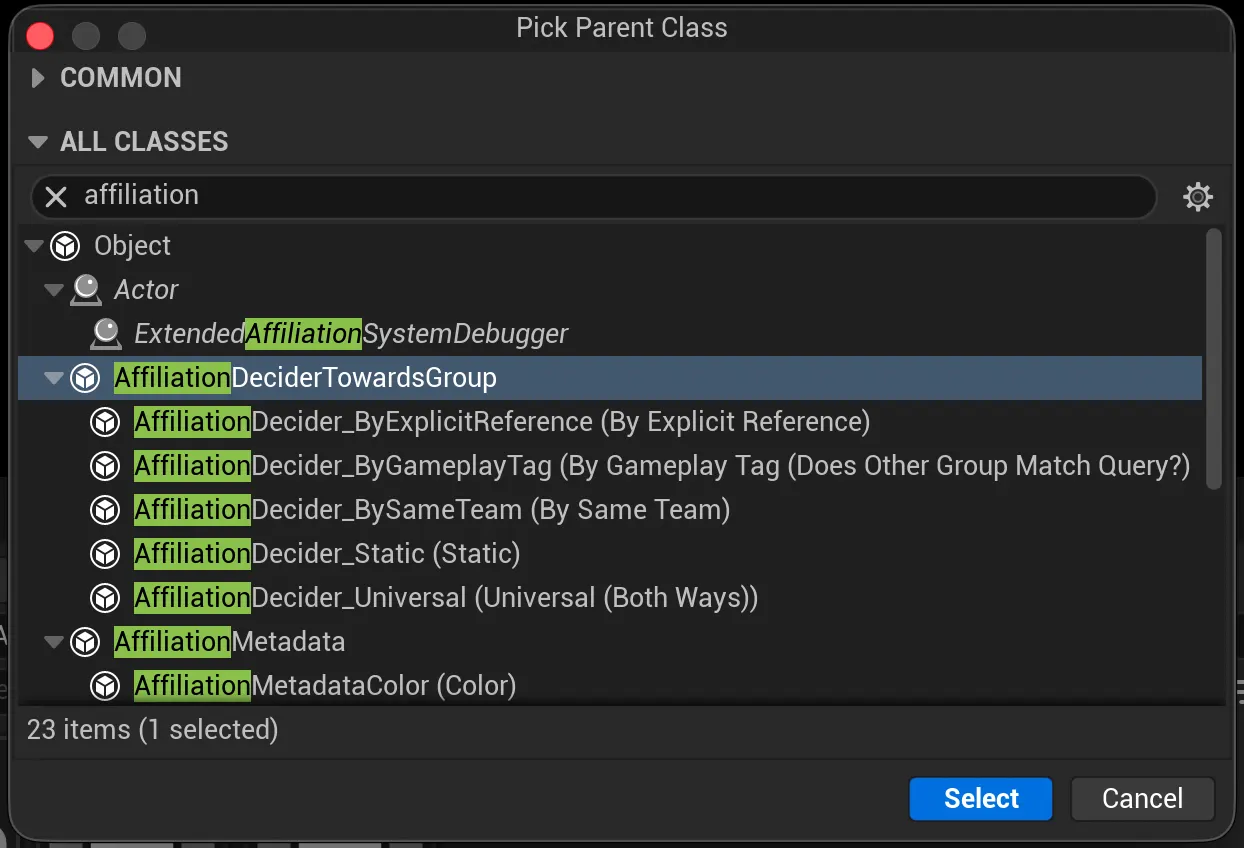
Create a Blueprint class with Affiliation Decider Towards Group (or any built-in decider) as its parent.
-
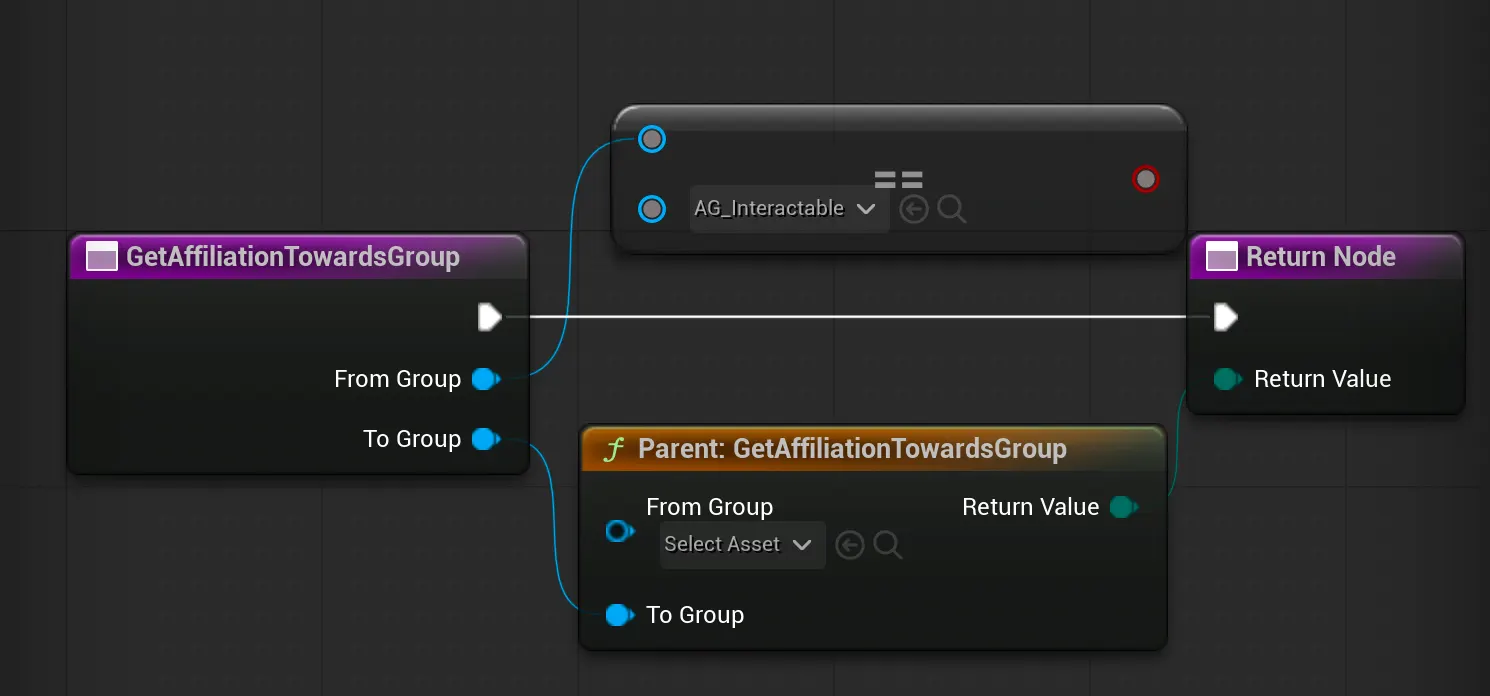
Override Get Affiliation Towards Group. You get From Group (this group) and To Group (the other group), and return an attitude. Call Parent to fall back to the parent's answer.
-
Pick your decider in a group's Affiliation Decider dropdown.